
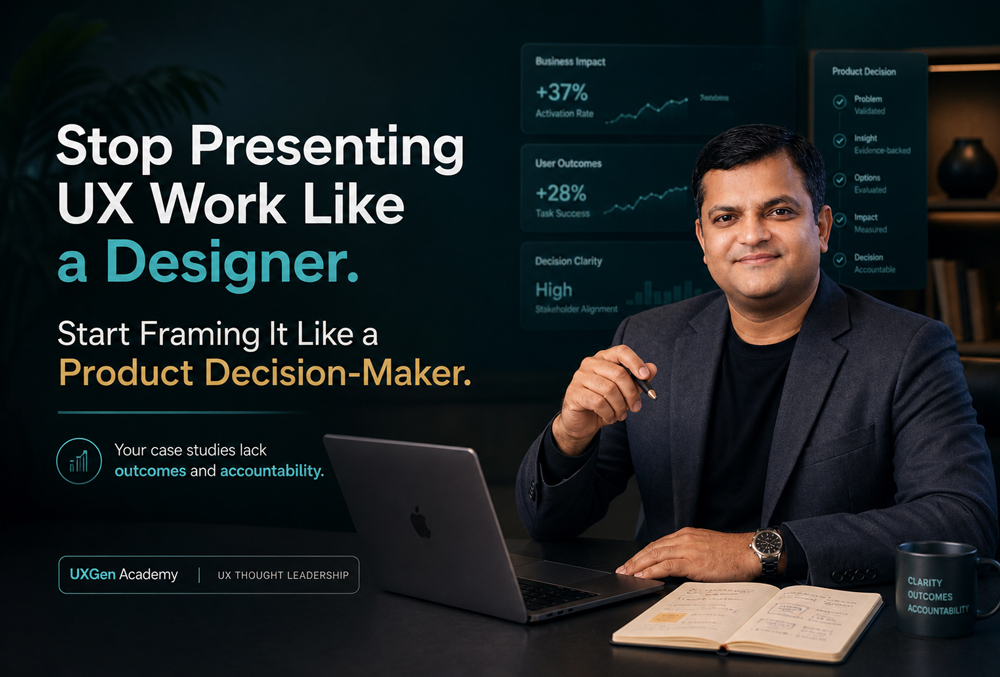
If your case study only shows screens, flows, tools, and final UI, you are hiding the exact judgment companies pay senior UX professionals for. A strong portfolio for a premium UX job shouldn’t just prove you can design; it must prove you can diagnose product friction, defend trade-offs, and connect UX to business outcomes. If you are struggling to land offers, it isn’t because you are a weak designer. It is because your case studies lack outcomes and accountability.
I see this pattern every single week. An experienced designer with a polished portfolio and flawless Figma skills walks into an interview for a senior or lead role-and gets passed over.
They get the calls. They get the initial portfolio reviews. They even get praised for their visual craft and component structures. But when the final hiring meeting happens, they do not get selected.
Why? Because the hiring manager sees craft, but not decision quality. They nod politely during your presentation, but on their scorecard, they write: “Lacks strategic depth.” In senior roles, decision quality is the product. You aren’t just being hired to execute a roadmap; you are being hired to help define it.
If you are an experienced professional sitting in the frustrating experienced ux no job offer gap, you need a fundamental shift in how you talk about your work. You must stop presenting your work as a creative exercise and start presenting it as a business movement.
The Real Problem: Showing Output Instead of Judgment
A lot of UX professionals with 5+ years of experience open their case studies and show the exact same things:
- User personas and journey maps
- Wireframes and design system components
- Tools used (Figma, Miro, Dovetail, etc.)
- Before and after UI screens
All of this is fine, but none of this proves seniority. A junior designer can show screens. A freelancer can show clean UI. A bootcamp grad can copy a polished Figma template.
What executive teams, product managers, and founders actually want to know is:
- What problem did you choose to solve, and why was it a priority right now?
- What business risk existed if this problem was ignored?
- What cross-functional trade-offs did you have to negotiate?
- What business metric could this improve (revenue, retention, customer acquisition cost, support load)?
Nielsen Norman Group warns that UX portfolios shouldn’t only show shiny artifacts; they must show the process, context, and value behind the work. When you only show screens, you look execution-heavy and strategy-light. You look like a cost center, not a revenue driver.
The Dangerous Sentence: “I redesigned the app”
This sentence sounds entirely normal in the design world, but for senior UX positioning, it is dangerously weak. It tells me what you did, but it entirely misses why it mattered to the business.
Weak Designer Framing:
“I redesigned the onboarding flow because users were confused by the old layout.”
Strong Product Decision-Maker Framing:
“Activation was dropping by 40% before users reached the first meaningful action. I redesigned the onboarding flow to reduce cognitive load, improve task completion, and accelerate time-to-value, ultimately protecting our paid acquisition spend.”
Let’s look at another one.
Weak Designer Framing:
“I updated the B2B dashboard to look more modern and clean.”
Strong Product Decision-Maker Framing:
“Sales was losing enterprise deals because our analytics dashboard looked outdated compared to competitors. I overhauled the data visualization hierarchy so account executives could use the UI as a closing tool during demos.”
The strong versions have a business problem, a friction point, a product goal, and a financial reason. That is what separates a design presentation from an executive product decision narrative.
The 6-Step Product Decision-Maker Case Study Framework
If you want to create real dwell time-making hiring managers stop, read, and actually absorb your portfolio-stop leading with UI. Start with the decision environment using this extractable, high-impact framework:
- Business Context & The “Cost of Inaction” Explain what was happening in the product or business, and what would happen if nobody fixed it. Example: “The product had a high number of top-of-funnel signups, but users were not completing onboarding. The team assumed it was a motivation problem; my audit revealed it was a clarity and sequencing problem. If left unfixed, we were on track to burn $50k a month in wasted marketing spend.”
- User Friction (Be Specific, Not Vague) Don’t use lazy pain points like “users felt frustrated.” Identify the exact structural or psychological cause.
- The CTA language created commitment hesitation.
- Important trust signals (like SOC2 compliance badges) appeared too late in the checkout flow.
- The form asked for credit card details before the core value proposition was experienced.
- Product Risk & Business Impact Connect the UX issue directly to the bottom line. McKinsey’s research confirms that companies with stronger design performance have materially better revenue growth and shareholder returns. Example: “By forcing users through a 7-step mandatory tutorial, we were artificially inflating our support ticket volume. Users were getting stuck and emailing support instead of exploring the tool.”
- The UX Decision (Logic, Not Just Layout) Explain why you moved a component, not just that you moved it. Frame your design choices as psychological interventions. Example: “I moved the pricing calculator above the fold because users were abandoning the page to search for third-party calculators. Keeping them on the page retained their attention and increased demo requests.”
- The Trade-Off (The Ultimate Test of Seniority) Every strong product decision has a trade-off. Perfect case studies look fake to seasoned hiring managers. They want to know you can compromise with engineering and product. Example: “We wanted to build a custom, interactive date-picker to make scheduling seamless. However, engineering bandwidth was tight. I made the trade-off to use a standard native component so we could hit the Q3 launch deadline and start capturing revenue faster.” Trade-offs prove maturity and an understanding of operational reality.
- Outcomes and Accountability (Even if You Have No Data) Your case studies lack outcomes and accountability if you just end with “the client loved it.” Even if you don’t have perfect backend revenue data, you must show accountability.
- Real Metrics: Show them (e.g., increased conversion by 14%, reduced churn by 2%).
- Partial/Proxy Data: Show directional signals (e.g., reduced error rates in usability testing, lowered click-paths).
- No Data: State exactly what you would measure next (e.g., “Since I left the project before launch, my measurement plan was to track time-to-first-value and onboarding drop-off rates via Mixpanel”).
Stop Waiting. Start Leading with UXGen Mastery.
Bridging the gap between being a pixel-pusher and a strategic product leader is incredibly tough to do in isolation. The market has fundamentally changed. Companies are running leaner. They want UX professionals who can think clearly, explain decisions, and connect design work to measurable product outcomes.
As the CTO and Co-founder of UXGen Academy, I’ve seen firsthand how crucial this shift is. We do not train learners to just “make screens” or blindly follow a double-diamond process. Our curriculum is ruthlessly career-oriented, designed specifically for professionals who want to skip the trial-and-error and step directly into executive-grade roles.
Through our AI Driven UX Mastery program, we teach you how to diagnose problems like a high-paid consultant and connect your decisions to conversion, retention, and trust. You learn how to leverage AI to speed up your synthesis, allowing you to spend more time on strategic thinking.
Crucially, you aren’t learning from theorists. You are learning directly from Mentor Manoj, our senior mentor and a UX researcher and hiring geek with over 25+ years of industry experience. He has sat on the other side of the interview table for decades. He brings real-world design judgment into the learning experience, teaching you how to prepare for better roles, dominate interviews, and command stronger salary positioning.
Career growth isn’t about learning more Figma plugins; it’s about learning how senior people think.
Take Action: Elevate Your Portfolio Today
A strong UX portfolio is not a museum of screens. It is proof of judgment. Do not redesign your portfolio first-redesign the way you explain your thinking.
Download the Free PDF: Senior UX Case Study Decision Framework
Learn how to present UX work like a product decision-maker. Inside, you’ll get the outcome mapping template, UX decision-writing prompts, and a portfolio self-audit scorecard to check if your case studies sound junior or senior.
👉 DM the keyword MASTERY to learn how UXGen Academy helps experienced UX professionals build job-ready, business-focused portfolios.
Frequently Asked Questions (FAQs)
- Why am I not getting a UX job even with 5+ years of experience?
If you are facing the “experienced ux no job offer” situation, your portfolio is likely not communicating senior-level value. Hiring teams need to see outcomes, decision logic, business impact, and accountability. If you only show screens, process, and tools, there is a massive gap between your actual ability and how you are perceived by stakeholders.
- What should a senior UX case study include?
It must go far beyond UI screens. A senior case study should explicitly outline the business context, specific user friction, product risk (cost of inaction), research evidence, your design decisions (and why you made them), the cross-functional trade-offs you accepted, and the final outcomes or measurement plan.
- What does “Your case studies lack outcomes and accountability” mean?
It means your portfolio shows what you created (the output) but not what changed in the business because of it (the outcome). Accountability means taking ownership of the results, showcasing usability signals, or at the very least, establishing a clear measurement plan indicating you understand how your work impacts growth.
- How do I make my UX portfolio more business-focused?
Connect every single UX decision to a core business metric. For example: conversion, retention, activation, trust, or support load. Instead of saying “I improved the layout,” explain exactly what cognitive friction you eliminated and how that protected revenue, increased sign-ups, or reduced customer churn.
- Is UI design enough to get a senior UX role?
No. While clean, accessible UI is the baseline expectation, senior UX roles require deep problem diagnosis, research interpretation, stakeholder communication, product thinking, and the ability to defend design decisions using undeniable business logic.
- How can AI help in my UX career growth?
AI is a powerful multiplier for research synthesis, heuristic evaluations, content structuring, and portfolio rewriting. However, AI should support your critical thinking, not replace it. Programs like AI Driven UX Mastery teach you how to use AI intelligently to sharpen your decision quality, scale your output, and position yourself as a tech-forward leader.
- Who is the AI Driven UX Mastery program built for?
It is strictly designed for UX learners, career switchers, and experienced UX/UI professionals who are tired of hitting a ceiling. It is for those who want to build high-converting portfolios, develop executive-level product thinking, and secure premium roles with better salary positioning through practical, job-oriented skills.


